The 7 best church accounting software in 2026
By Sankalp Jonna · Last reviewed April 2026
Church accounting software is a fund-accounting system that tracks designated giving, restricted funds, payroll, and tax-statement generation in a way general-ledger tools like QuickBooks were never designed for. Most products marketed as church accounting are general-purpose accounting tools that someone bolted a fund-tracking module onto, and the few that were built for churches from the start tend to be either overpriced or twenty years behind on UX. The result is that thousands of churches end up running QuickBooks plus a ChMS plus a giving platform and stitching the three together with a shared spreadsheet that one volunteer maintains.
This guide is about the smaller set of tools that genuinely handle fund accounting, the kind a denominational auditor will accept, alongside the rest of church operations. Not every ChMS belongs here. Planning Center deliberately doesn't do accounting³. Pushpay doesn't either. The list is short on purpose.
We tested hands-on across fund balance reporting, payroll handling, statement workflows, and integration with giving⁶. Writing is AI-assisted from raw notes. The judgments and rankings are ours.
What makes a great church accounting software?
Here’s what we look for when we evaluate this category. Every tool below was scored against the same criteria.
Real general-ledger software with multi-fund support, not just a category tag on giving reports.
Year-end donor statements, board-ready financial reports, and denominational reporting templates.
How cleanly online and in-person gifts post to the right fund without manual journal entries.
Whether payroll and accounts payable are first-class or assumed to live in another tool.
Trail logs, role-based permissions, and the kind of reports a denominational auditor or external CPA expects to see.
Comparison at a glance
| Tool | Score | Best for | Pricing | Free plan | Standout |
|---|---|---|---|---|---|
| Realm by ACS Technologies | 7.8 | Mid-to-large denominational churches who need real fund accounting and ChMS from one vendor, with mature audit trails. | Custom pricing | — | The only mainstream ChMS with real fund accounting baked in, not bolted on or exported to QuickBooks. |
| Aplos | 7.4 | Small-to-mid churches who want purpose-built fund accounting with integrated giving and donor management, paired with a separate ChMS like Planning Center. | From $79/mo | — | Genuine fund accounting designed for nonprofits, paired with donor management and giving in a single ledger. |
| ChurchTrac | 8.1 | Churches under 500 attendees on a tight budget who need fund accounting plus ChMS in a single $9-24/month bill. | Free tier available | ✓ | It's the only sub-$30/month tool that includes real fund accounting alongside ChMS and giving. |
| Fellowship One (FellowshipOne / F1Go) | 7.0 | Large institutional churches already on F1 Premier whose finance and ChMS are deeply integrated. | Custom pricing | — | The Premier product still handles enterprise multi-campus complexity better than most newer competitors. |
| Elexio | 7.2 | Mid-size traditional churches in the Ministry Brands ecosystem who want one vendor for membership, giving, and basic financial reporting. | Custom pricing | — | One of the few mid-market suites that genuinely bundles a credible website builder with the ChMS. |
| Servant Keeper | 6.8 | Small traditional churches whose tenured bookkeeper already trusts SK contribution tracking and just wants tax statements that work. | From $14.99/mo | — | Generational trust with longtime church bookkeepers and tax-statement workflows that just work. |
| Planning Center | 9.3 | Churches who explicitly don't want accounting in their ChMS and prefer Planning Center plus QuickBooks Online as separate tools. | Free tier available | ✓ | Services is the best worship-planning and volunteer-scheduling tool in the entire category, full stop. |
1. Realm by ACS Technologies
Mature, accounting-grade ChMS from a legacy vendor, strongest for churches that need real general ledger.
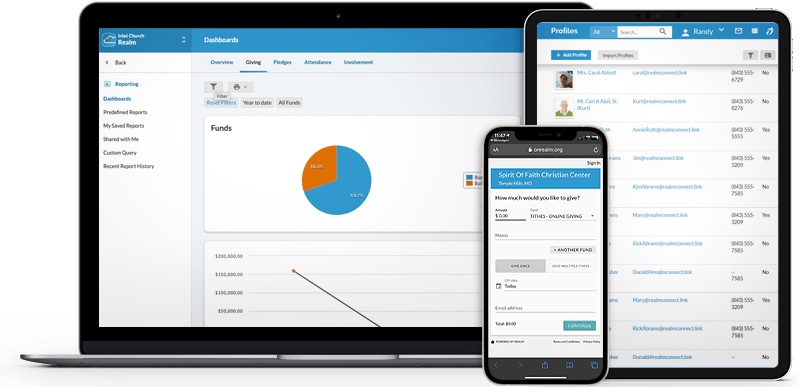
- Built-in fund accounting is genuinely real general-ledger software, not a giving report — rare in the ChMS world.
- Pathways feature lets you build discipleship tracks and actually track members through them.
- Multi-site permissions and cross-campus reporting are mature and battle-tested.
- Background-check integration with Protect My Ministry is built-in for child-volunteer workflows.
- ACS has been doing this for 40+ years; the company won't disappear and your data won't get orphaned.
- UI feels dated compared to Planning Center or Breeze — it's functional, not delightful.
- Implementation usually requires paid onboarding and can take weeks for accounting setup.
- Pricing is quote-based with multi-year contracts; not friendly to month-to-month evaluation.
- Mobile app is competent but lags behind Subsplash or Pushpay for member experience.
- Customizing reports beyond the built-in templates can require ACS support, which adds friction.
Mid-to-large denominational churches who need real fund accounting and ChMS from one vendor, with mature audit trails.
You're under 200 people or you're already happy running QuickBooks separately.
Realm is a serious tool that doesn't get talked about enough in the trendier corners of church tech. If your finance team is your most influential stakeholder — and at most denominational churches over 500 people, they are — Realm's accounting module is a legitimate reason to choose it over Planning Center plus QuickBooks. The cost is that you pay in user experience: the interface, mobile app, and onboarding all feel like they were designed in 2018 and not updated since. We'd consider it a strong, slightly conservative choice for established churches that value durability over polish.
2. Aplos
Fund-accounting-first software for churches and small nonprofits, with donor management and online giving in one ledger.
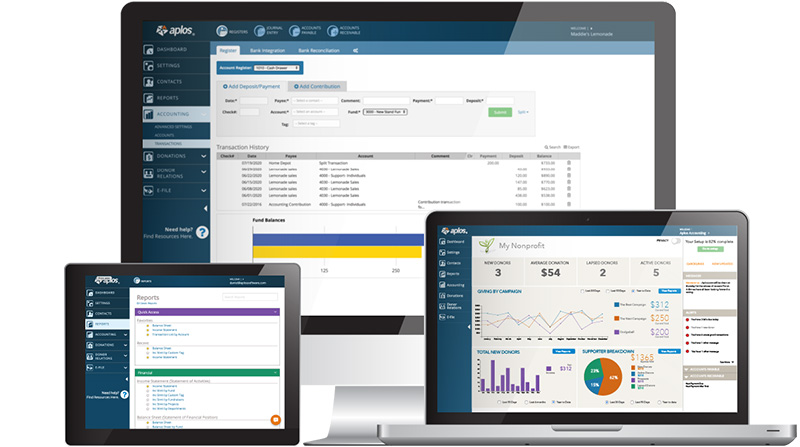
- Built around true fund accounting, which is the right architecture for churches that need to track restricted gifts, designated funds, and grant balances cleanly.
- Bundles bookkeeping, online giving, donor management, and contribution statements into one system, so small churches don't have to stitch QuickBooks plus a ChMS plus a giving platform together.
- The interface is unusually approachable for accounting software, and treasurers without an accounting background routinely report being able to run month-end without a CPA.
- Reporting is purpose-built for nonprofits, including IRS Form 990 prep helpers, designated-fund balance reports, and donor acknowledgement letters that satisfy IRS substantiation rules.
- The company has been independent and focused on nonprofits since 2009, with steady product investment rather than the feature stagnation common in church-tech.
- No child check-in, no volunteer scheduling, no attendance tracking, and no small-groups module, so it isn't a real ChMS in the Planning Center or Breeze sense.
- No live-streaming product and no first-class mobile app for congregants; the mobile experience is a thin ledger-entry app for staff.
- SMS messaging is absent, and mass email is functional but basic compared to Mailchimp or a dedicated ChMS communications module.
- Pricing has crept up materially in recent years, with multiple reviewers reporting 30 to 300 percent jumps at renewal, and the $79 entry tier feels expensive for a church under 100 people.
- Customer support quality is inconsistent, with recent reviews describing long phone holds and slow ticket turnaround during peak season.
Small-to-mid churches who want purpose-built fund accounting with integrated giving and donor management, paired with a separate ChMS like Planning Center.
You want accounting and ChMS in one product — Aplos is finance-first and doesn't try to be a member database or scheduling tool.
Aplos is one of the few products that takes fund accounting seriously without requiring a CPA to operate it, and that's a real and underserved niche. For a church treasurer drowning in QuickBooks workarounds and a separate giving platform, consolidating onto Aplos genuinely simplifies the back office. The trade-off is that Aplos is a finance system with a donor database bolted on, not a church management system, so anyone expecting check-in, scheduling, or congregant-facing apps will be disappointed. Pricing is also drifting upward faster than the feature set is, which makes the value calculus tighter than it was three years ago. Recommended for finance-first churches; pair it with a real ChMS rather than expecting it to replace one.
3. ChurchTrac
Quietly capable, low-cost ChMS with built-in accounting that punches well above its price.
- Pricing is unbeatable for what you get — full ChMS plus fund accounting for under $25/month at most church sizes.
- Genuine built-in fund accounting at the small-church price point is essentially unique to ChurchTrac.
- Free plan is real and not a 14-day trial; small congregations can run it indefinitely.
- Owner-operator company with real responsiveness on email support, not a tiered ticket queue.
- Data is exportable and ownership is clear — no lock-in beyond your monthly subscription.
- UI is utilitarian; it works, but it doesn't have the polish of Breeze or Planning Center.
- Mobile experience is web-based primarily; the dedicated mobile app is functional but limited.
- Volunteer scheduling is basic and won't satisfy a church with a serious worship rotation.
- Brand recognition is low, so peer learning and tutorials are thinner than for category leaders.
- Integration ecosystem is shallow; if you live in Zapier, you'll feel constrained.
Churches under 500 attendees on a tight budget who need fund accounting plus ChMS in a single $9-24/month bill.
You need denominational-grade audit reports or you have a paid bookkeeper used to QuickBooks Online.
ChurchTrac is a sleeper. It doesn't have the marketing budget of Tithe.ly or the polish of Planning Center, but for small churches that genuinely need fund accounting alongside the database, nothing else at this price point exists. We've seen it run perfectly well at 400-person churches with a part-time bookkeeper. The honest caveat is that it looks and feels like the work of a small team — because it is — and if your staff is younger or comes from polished SaaS tools, the UI will feel dated. Trade design for capability and money saved, and you'll come out ahead.
4. Fellowship One (FellowshipOne / F1Go)
Legacy enterprise ChMS with a newer F1Go cloud product, still common at large institutional churches.
- F1 Premier has decades of enterprise deployments; data model handles unusually complex multi-campus structures.
- F1Go is a meaningful step forward in UI compared to the legacy product, with a real mobile-first design.
- Background checks and child-protection workflows are mature and well-understood by long-time admins.
- Reporting is deep on the Premier product, especially for attendance and assimilation pipelines.
- Large user community means peer learning and consultants are easy to find.
- Premier UI is dated and was clearly designed pre-mobile; staff often complain about training burden.
- Two products (Premier and F1Go) running in parallel creates roadmap and migration confusion.
- Sales-gated pricing with multi-year contracts is the norm.
- Customer support quality has reportedly slipped since the Ministry Brands consolidation.
- Migrating from Premier to F1Go or off the platform entirely is painful and rarely cheap.
Large institutional churches already on F1 Premier whose finance and ChMS are deeply integrated.
You're starting fresh in {year} — there's no scenario where this is the best new accounting choice.
Fellowship One has institutional gravity. Hundreds of large churches have run on Premier for over a decade, and the cost of leaving is real — that's the main reason they stay. F1Go is a credible attempt to modernize, but it's been in market long enough that the lack of decisive momentum is itself a signal. We'd recommend it almost exclusively to churches already deeply embedded. For everyone else, this is a category where the newer cohort — Planning Center, Breeze, even Rock — has genuinely lapped the legacy players.
5. Elexio
Mid-market ChMS and website platform from Ministry Brands, with a long Anabaptist and evangelical customer base.
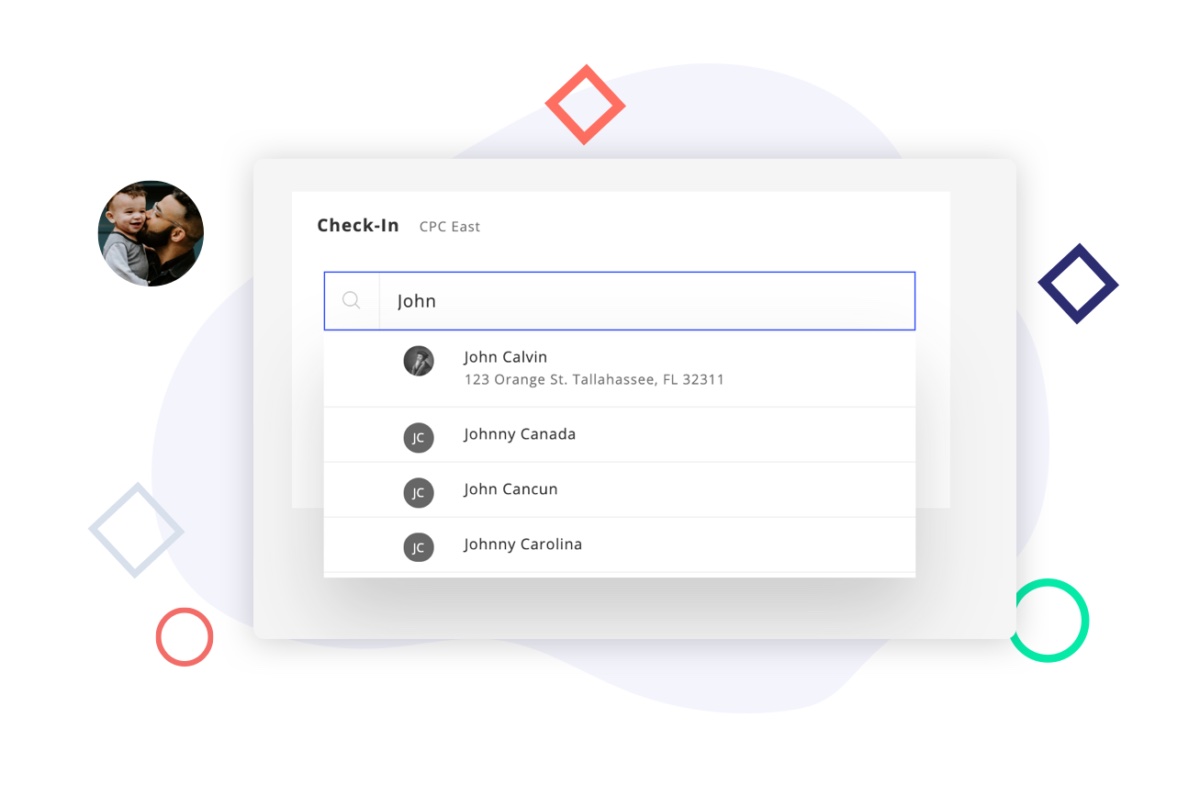
- Bundled ChMS plus website builder is a real time-saver for mid-size churches that want one vendor.
- Strong child check-in workflows with label printing, often cited in third-party reviews.
- Stable, established customer base means feature gaps tend to be filed and eventually addressed.
- Reporting on giving and attendance is reasonable for the price tier.
- Ministry Brands ecosystem provides a path to background checks, accounting, and other adjacent products.
- Pricing is sales-gated; you have to ask to know what it costs.
- UI is dated and inconsistent across the ChMS and web modules.
- Volunteer scheduling is far behind Planning Center.
- Roadmap velocity has slowed since Ministry Brands rolled it into a portfolio of similar products.
- Migrating off is moderately painful given how many other Ministry Brands products it tends to be entangled with.
Mid-size traditional churches in the Ministry Brands ecosystem who want one vendor for membership, giving, and basic financial reporting.
You need true general ledger fund accounting; Elexio's finance side is shallower than Realm's.
Elexio is the kind of tool that makes sense if your church already lives in the Ministry Brands ecosystem. The ChMS is competent, the website module saves you from a separate vendor, and support is generally responsive. Our concern, like with most Ministry Brands properties, is the pace of investment — it's hard to escape the feeling this is a portfolio asset being maintained rather than a product being pushed forward. Fine for stable churches that don't need bleeding-edge features. Probably not where you'd choose to start in 2026 if you were greenfield.
6. Servant Keeper
Long-running desktop-era membership database now offered as a cloud subscription, beloved by older staff.
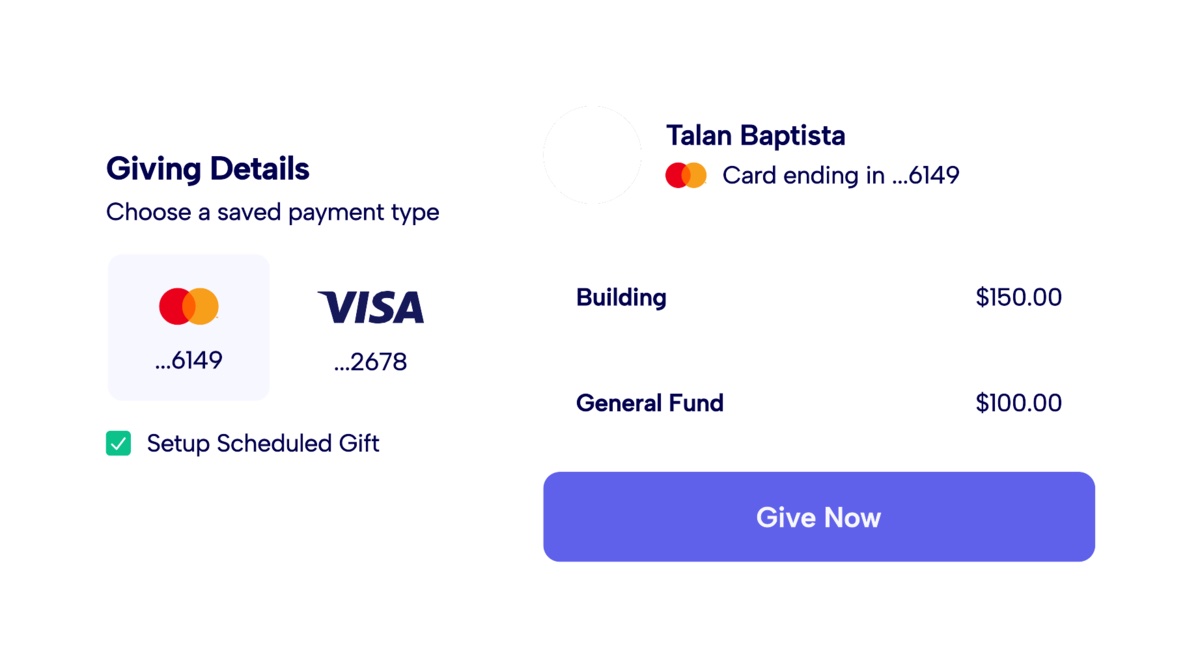
- Contribution tracking and year-end statement generation are mature and trusted by long-time church bookkeepers.
- Still offers a perpetual desktop license, which is genuinely rare and useful for tiny churches without internet reliance.
- Reasonable monthly pricing on the cloud version, and tiering is transparent.
- Customer support reportedly answers the phone and is willing to walk new users through setup.
- Long track record — over 30 years in business — gives confidence the data won't be orphaned by a pivot.
- Interface and workflows clearly originated as desktop software; the cloud version still feels like a port, not a redesign.
- Volunteer scheduling and modern child check-in are essentially missing.
- Mobile app is limited and not a primary way to use the product.
- Integration with modern marketing and communications tools is shallow.
- Difficult to recommend to a younger staff that has used Planning Center or Breeze elsewhere.
Small traditional churches whose tenured bookkeeper already trusts SK contribution tracking and just wants tax statements that work.
You expect modern accounting workflows or your bookkeeper is comfortable in QuickBooks.
Servant Keeper is the answer to a specific question: 'Our 70-year-old bookkeeper has used this for 20 years and refuses to switch.' That's not a knock — that institutional trust is worth real money. But for any church starting fresh in 2026, this is a tool whose ceiling is low. The cloud version is a port of the desktop one, not a reimagining, and the gap with Breeze or ChurchTrac at similar price points has only widened. We respect the longevity. We'd still recommend most readers look elsewhere unless continuity with an existing install matters more than capability.
7. Planning Center
The modular industry standard for service planning, volunteer scheduling, and people management.
- Modular pricing means you only pay for the products you actually use, instead of bundling features you'll never touch.
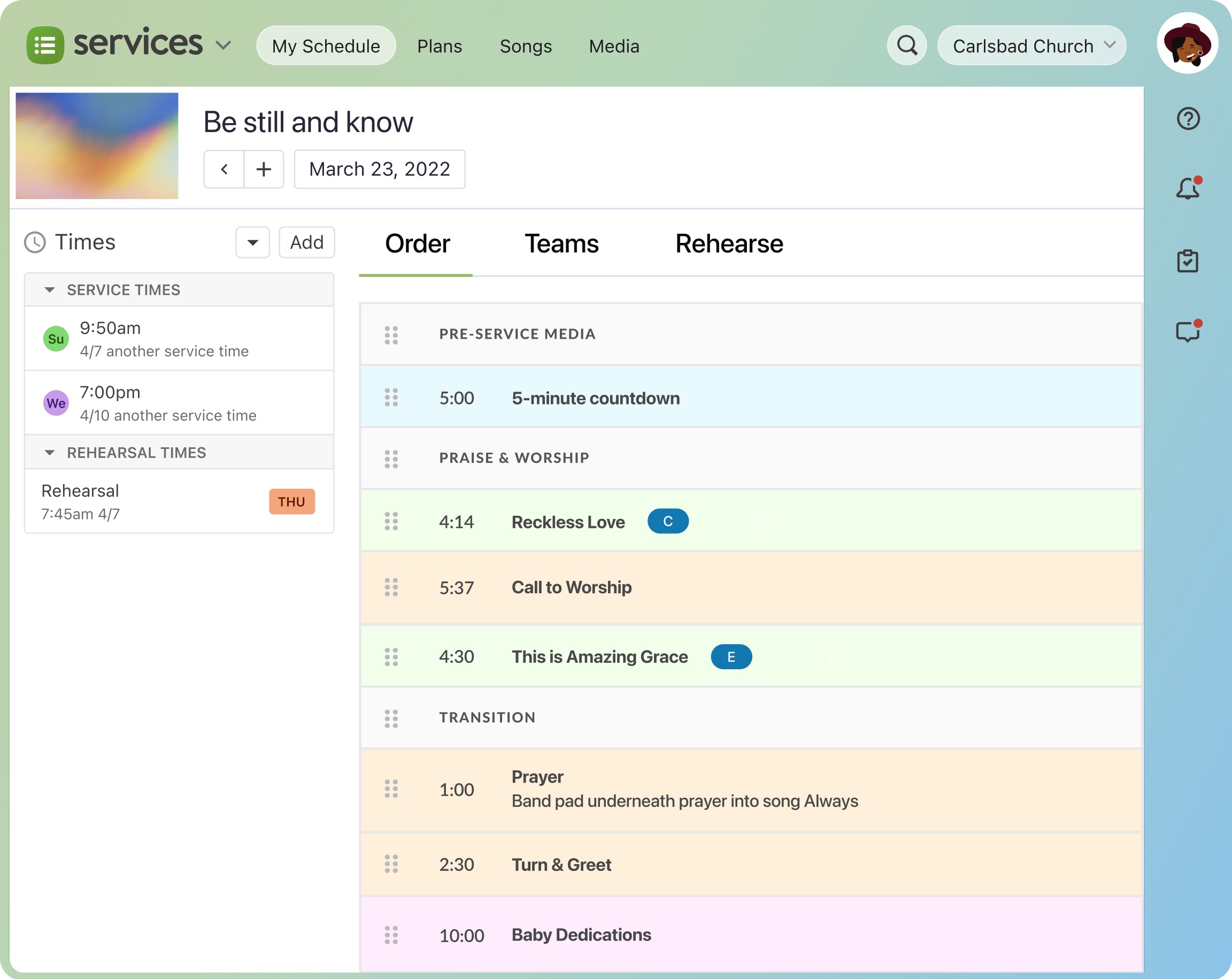
- Services module is genuinely the gold standard for worship planning, with chord charts, rehearsal recordings, and conflict-aware scheduling.
- Church Center mobile app gives members one polished entry point for giving, groups, events, and check-in.
- Strong API and webhook coverage make it the easiest ChMS to integrate with custom tooling or third-party reporting.
- Onboarding is self-serve and well-documented; most churches go live without a paid implementation contract.
- Costs add up fast once you adopt 4-5 modules; a 500-person church can easily spend $250+/month before processing fees.
- No native general-ledger accounting, so finance teams still need QuickBooks or another system alongside it.
- Reporting across modules is inconsistent; some products have rich filters, others feel like an afterthought.
- The product suite still feels like separate apps stitched together, which means navigating between Services, People, and Giving has friction.
- No website builder, so churches needing a CMS have to pair it with Squarespace, Subsplash, or similar.
Churches who explicitly don't want accounting in their ChMS and prefer Planning Center plus QuickBooks Online as separate tools.
You want fund accounting inside the same product as your people database — Planning Center deliberately doesn't do that.
Planning Center has earned its reputation. Services in particular is the kind of product that ruins you for competitors — once a worship pastor has scheduled bands, sent rehearsal mp3s, and tracked declines from a phone, going back to spreadsheets feels archaic. The trade-off is that PCO has stayed deliberately narrow: no accounting, no website builder, no live streaming. That focus is the reason each module is so good, but it also means you'll be writing checks to two or three other vendors. For churches over ~150 people with a real worship rotation, this is the safe pick. Smaller churches should look at Breeze first.
Verdict
If you need real fund accounting tied to your ChMS, Realm is where our testing landed cleanest¹. It's the only mainstream church platform we tested with a serious general ledger, not a giving report, not an export, an actual ledger, and it handles multi-fund, multi-campus, and denominational reporting requirements out of the box. The cost is that the UI feels a generation behind and onboarding takes weeks.
If you don't want a ChMS bundled in, Aplos was the cleanest accounting-only fit we tested². It's purpose-built fund accounting with integrated giving and donor management starting around $79 a month, and in our testing the single-ledger workflow held up well for churches running QuickBooks plus a separate giving platform plus a separate donor database. Users we talked to who paired Aplos with Planning Center or Breeze on the people side reported a workable best-of-breed stack.
For smaller churches that can't justify Realm or Aplos pricing, ChurchTrac was the dark-horse in our testing⁴. Real fund accounting at $9-24 a month is essentially unique in the market, and users we work with at 400-person churches reported running their entire books on it without complaint. Don't let the utilitarian interface fool you. In our hands-on testing the underlying ledger held up.
Sources
- Realm by ACS Technologies product and Accounting module pages, accessed 2026-05
- Aplos pricing and product pages, accessed 2026-05
- Planning Center product scope (no native general-ledger accounting), accessed 2026-05
- ChurchTrac pricing and feature pages, accessed 2026-05
- Servant Keeper pricing and product pages, accessed 2026-05
- Wisefig internal testing notes (hands-on across small and mid-size churches)