The 4 best church live streaming software in 2026
By Sankalp Jonna · Last reviewed April 2026
Church live streaming software is the encoder, hosting, and playback stack that takes a Sunday service from camera to embedded player on the church website or branded mobile app, often with in-stream giving prompts and post-stream sermon archive workflows. The honest framing in 2026 is that most churches stream to YouTube or Vimeo, embed the player on their website, and call it done. It costs nothing for YouTube, the playback works on every device a member owns, and the chat features are good enough for a couple hundred concurrent viewers. The bar for a paid church streaming tool is that it has to do something YouTube can't.
The things YouTube can't do well: branded playback inside a church app, in-stream giving prompts, post-stream sermon-archive workflows, and multi-camera switching tied to a service plan. The five platforms we cover here all attempt at least some of those, with varying success. The decision usually comes down to whether streaming is just a Sunday output or part of a broader media strategy.
We tested hands-on across stream quality, encoder setup, app playback, and integration with sermon archives⁵. Writing is AI-assisted from raw notes. Rankings are ours.
What makes a great church live streaming software?
Here’s what we look for when we evaluate this category. Every tool below was scored against the same criteria.
Bitrate, encoder support, and how well the stream holds up at 1080p with 200+ concurrent viewers.
How the embedded and in-app player looks compared to YouTube, including chapter markers and branding.
Whether the live stream automatically becomes an on-demand sermon with notes, chapters, and podcast distribution.
Whether viewers can give without leaving the player, and how visible the prompt is during the stream.
What you actually get for paying versus the free YouTube baseline most churches start from.
Comparison at a glance
| Tool | Score | Best for | Pricing | Free plan | Standout |
|---|---|---|---|---|---|
| Subsplash | 8.0 | Media-forward churches whose streaming feeds a branded app, sermon archive, and podcast distribution under one identity. | Custom pricing | — | The custom-branded app is the best in the category and the only one that consistently feels like a real native product. |
| Pushpay (with Church Community Builder) | 8.2 | Large multi-site Pushpay/CCB churches who want streaming inside their existing branded app with in-stream giving prompts. | Custom pricing | — | The donor-app experience and high-touch account management are unmatched at the megachurch scale. |
| Tithe.ly | 8.4 | Small-to-mid Tithe.ly churches who want a basic streaming feature inside the All-Access bundle without paying for a separate streaming tool. | Free tier available | ✓ | Free giving plan with no monthly fee is the most aggressive pricing in the category by a wide margin. |
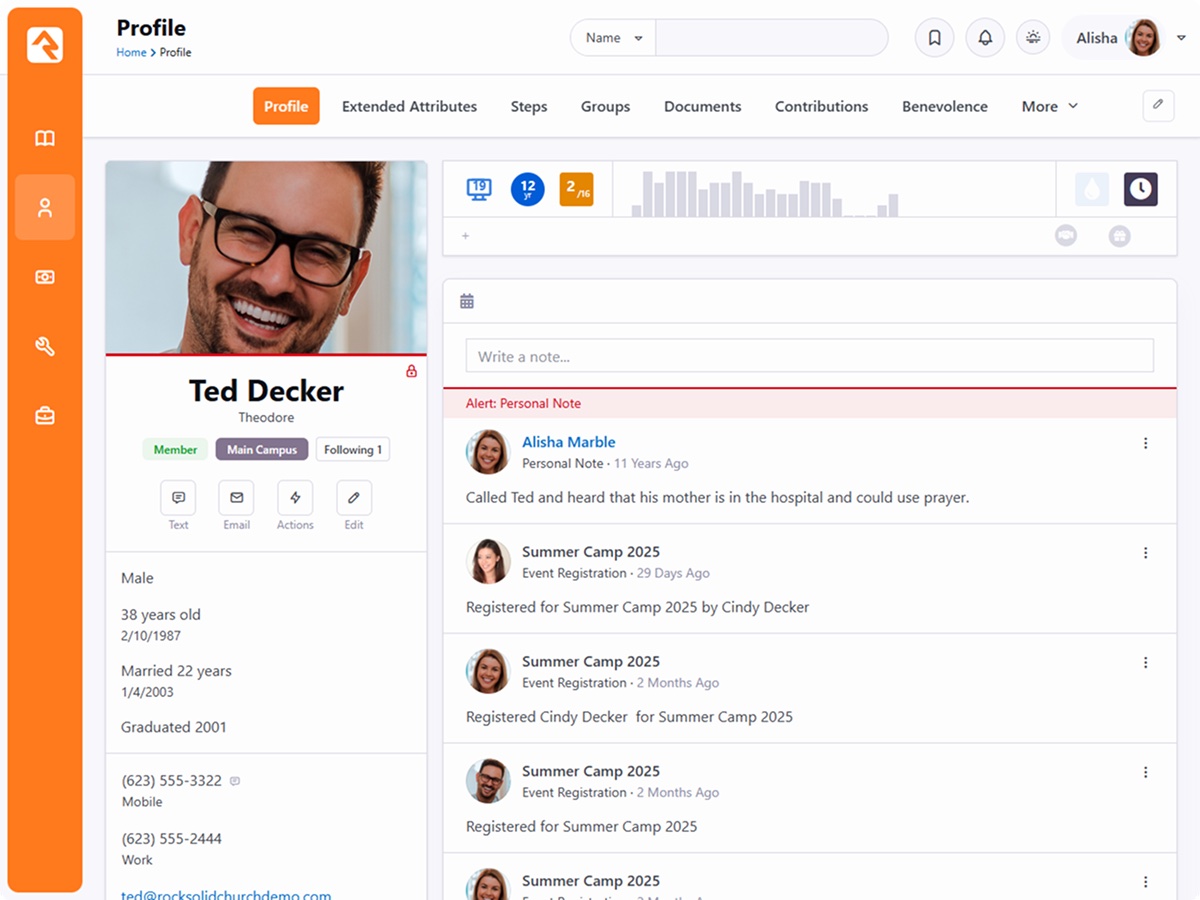
| Rock RMS | 8.5 | Rock RMS churches whose internal team can integrate a third-party streaming service with the Rock CMS as part of a self-hosted stack. | Free tier available | ✓ | A workflow engine and data model that can be molded to fit any church operation, with no licensing ceiling. |
1. Subsplash
Custom church mobile apps and media platform that has grown into a full giving and ChMS suite.
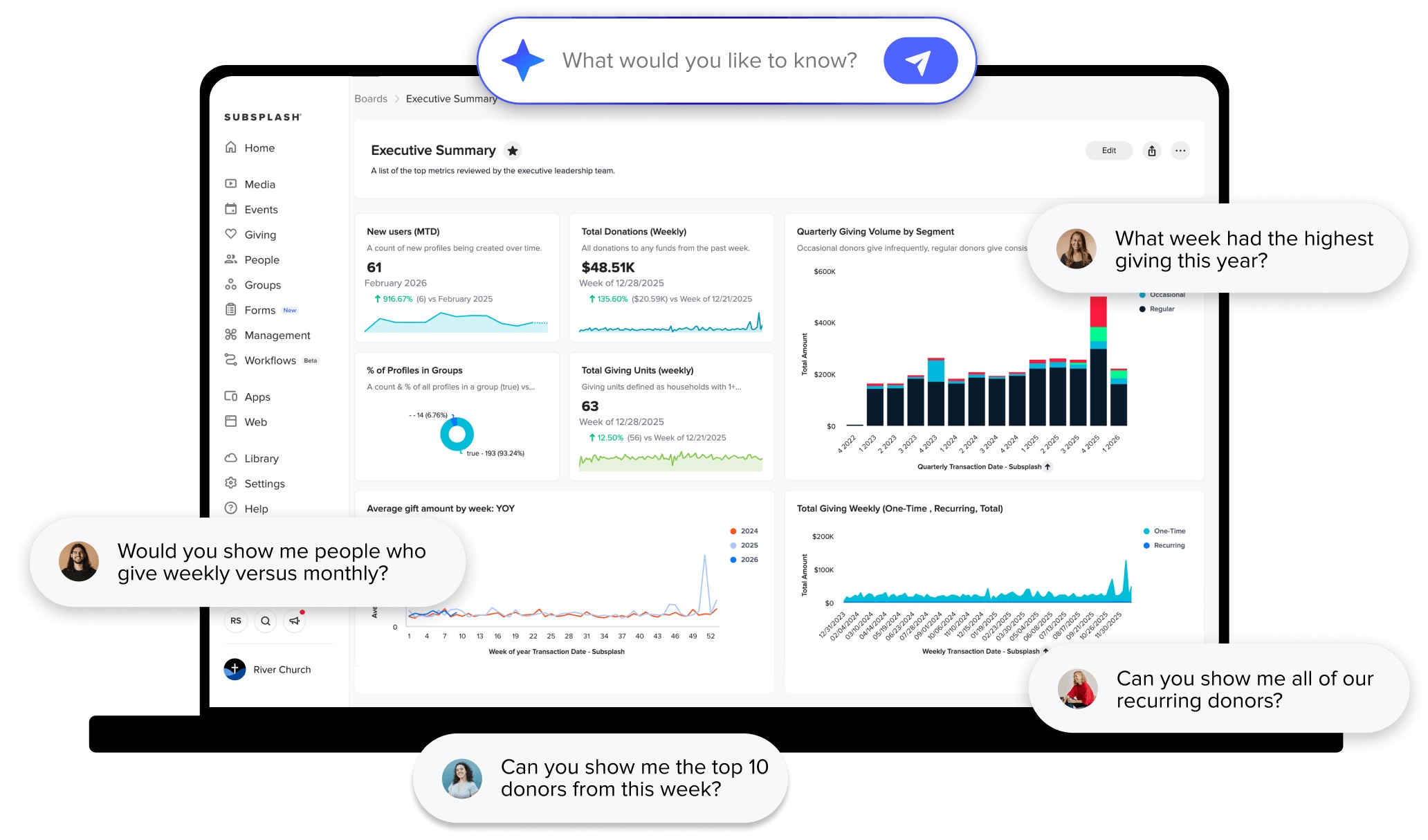
- App quality is genuinely high — fast launch times, polished sermon player, native feel on iOS and Android.
- Bundled live streaming and media hosting saves churches from paying separately for Resi or Vimeo OTT.
- Custom-branded app distribution under your church's name on the app stores is included, not an upcharge.
- Subsplash One bundle is one of the few real all-in-ones if you want app, web, giving, and CRM from one vendor.
- Customer success is responsive and includes app store submission/maintenance, which removes a real burden.
- Pricing is sales-gated and aggressive; sticker shock is the most common complaint in third-party reviews.
- Multi-year contracts are standard and difficult to exit early.
- ChMS module is the weakest part of the suite and feels bolted on compared to Planning Center or Breeze.
- Volunteer scheduling is essentially absent — churches keep Planning Center Services alongside.
- Renewal pricing tends to climb meaningfully year over year unless you actively renegotiate.
Media-forward churches whose streaming feeds a branded app, sermon archive, and podcast distribution under one identity.
Streaming is just a Sunday output for shut-ins and travelers — YouTube does that for free.
Subsplash is what you buy when you want your church to feel like a media company. The app is excellent and it's the reason most customers stay. The rest of the suite ranges from competent to noticeably weaker than category leaders, and the pricing model is firmly enterprise — expect a sales call, expect a contract, and expect renewal bumps. We'd recommend it without reservation to churches whose digital strategy is media-heavy. For churches whose primary problem is 'we need a database that works,' there are better and cheaper answers.
2. Pushpay (with Church Community Builder)
Enterprise-grade giving and ChMS suite aimed squarely at large multi-campus churches.
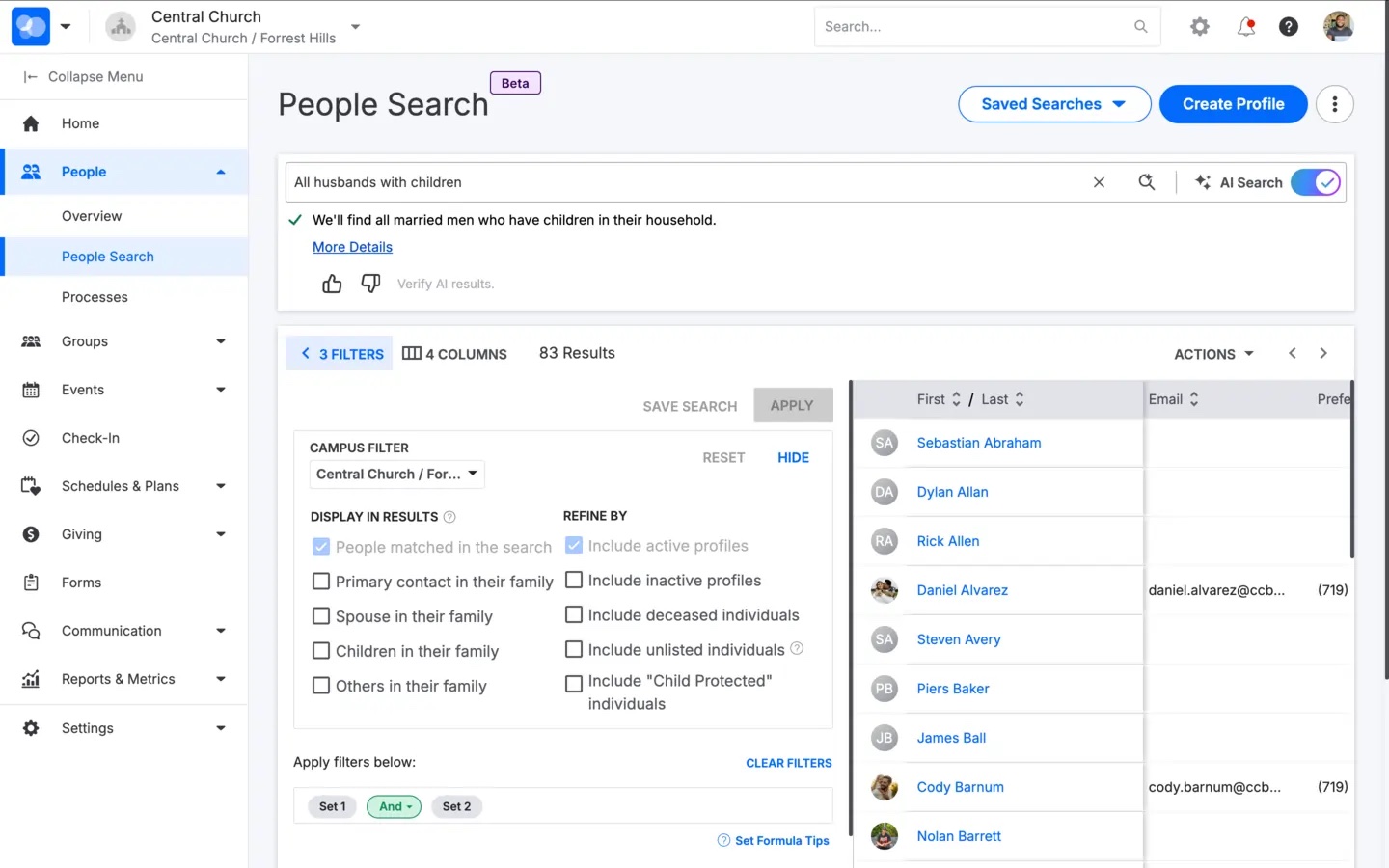
- Donor experience is genuinely best-in-class: text-to-give, recurring setup, and digital wallet flows have very low friction.
- Branded app product is mature and used by many of the largest churches in the US, with solid sermon and live-stream playback.
- Reporting on giving is deep — donor retention cohorts, lapsed-giver flagging, and pledge tracking are first-class.
- Account management is high-touch; your CSM actually knows your campus structure and giving patterns.
- CCB integration lets you tie giving back to small-group attendance and discipleship paths in one record.
- Pricing is opaque and quote-only; smaller churches routinely get pushed out of the funnel by sales gating.
- Transaction fees are higher than Stripe-direct competitors like Tithe.ly or Planning Center Giving.
- Contracts are typically annual and often multi-year, with auto-renewal clauses that catch staff off guard.
- CCB feels like the older product in the pairing; UI hasn't kept pace with Planning Center or newer entrants.
- Switching off Pushpay is meaningfully painful — donor data export and recurring-gift migration both require manual coordination.
Large multi-site Pushpay/CCB churches who want streaming inside their existing branded app with in-stream giving prompts.
You're not already on Pushpay — buying the suite to get the streaming module is not the right shape.
Pushpay is the enterprise pick. If you're a 5,000-person multi-site church, you almost certainly already use it or have considered it, and the reasons are real: the donor app converts, the CSM relationship matters when you're processing seven figures of giving annually, and the CCB pairing covers most of what you need. The catch is that you pay for that polish, and the contract structure makes it hard to leave. We'd push back hard on any church under 500 people who's been pitched this — you're paying for a tier of service you won't use.
3. Tithe.ly
Aggressively priced giving platform with a growing ChMS, app, and website stack underneath it.
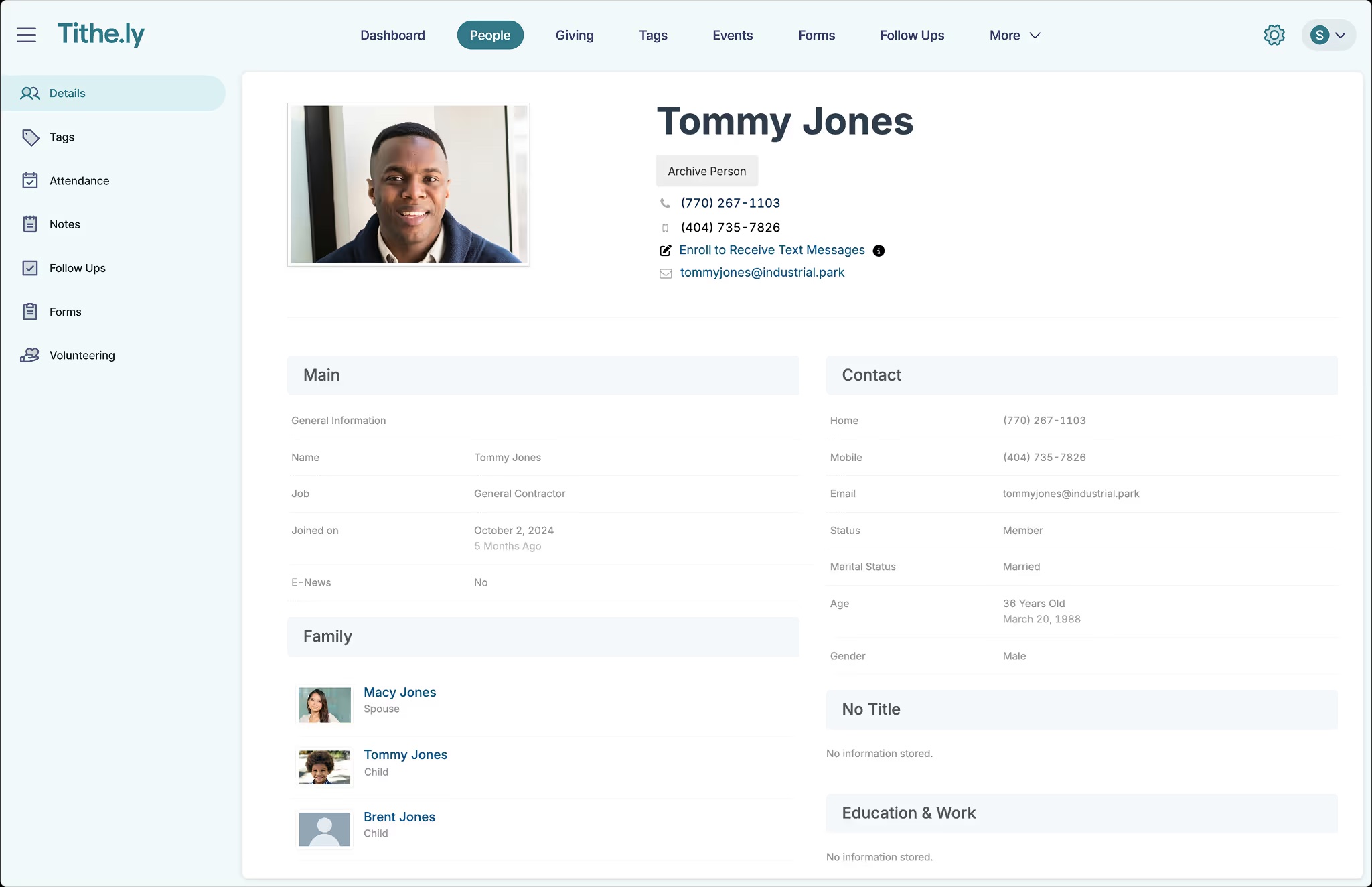
- Free giving plan with no monthly fee genuinely removes the financial barrier for churches launching online giving.
- All-Access bundle is the cheapest path to website + app + giving + ChMS in a single bill.
- Sites builder produces clean, mobile-first church websites without needing a developer.
- Active acquisition strategy (Breeze, Elvanto) means the platform footprint keeps expanding.
- Migrating donors from another platform is smooth — Tithe.ly will actively help move recurring gifts.
- Multiple acquired products under one brand creates a confusing UX; ChMS, Sites, and Giving all feel like different apps.
- Customer support has slipped in 2024-2025 reviews; ticket times stretched to days during peak season.
- Reporting is functional but can't match Pushpay or Planning Center for cohort analysis.
- Volunteer scheduling exists but most churches still use Planning Center Services alongside it.
- Roadmap priorities are unclear — it's hard to tell which acquired product is actually getting investment.
Small-to-mid Tithe.ly churches who want a basic streaming feature inside the All-Access bundle without paying for a separate streaming tool.
Streaming quality and player polish matter to you — Tithe.ly's streaming is functional but unremarkable.
Tithe.ly's bet on free giving was the right one, and it's how they got footholds in tens of thousands of churches. The harder bet is whether they can stitch Breeze, Elvanto, Sites, and the original Giving app into something that feels like one product. Right now it doesn't — it feels like a holding company. For a 150-person church just trying to take their first online gift, that doesn't matter and you should sign up today. For a 600-person church evaluating an all-in-one, the seams are visible enough that we'd seriously look at Planning Center plus a separate website tool instead.
4. Rock RMS
Free, open-source enterprise ChMS originally built for Central Christian Church and now used by megachurches.
- Genuinely free and open source — no per-record pricing, no contract, no vendor lock-in.
- The workflow and rules engine is the most powerful in the entire ChMS market by a wide margin.
- Includes an integrated CMS, so your website and ChMS share one user database without sync hacks.
- Built by and for very large churches, so the data model handles multi-site, multi-campus, and complex permissioning.
- Active community of partners who provide hosting, customization, and consulting at fair rates.
- Real implementation cost is not zero — most churches spend $5-20k on a partner to deploy and customize it.
- Requires a developer-adjacent staff member or budget for one; this is not self-serve.
- Documentation is improving but assumes more technical comfort than commercial ChMS docs.
- Mobile experience trails commercial competitors unless you pay for the optional mobile shell.
- Roadmap is community-driven, so feature priorities won't always match yours.
Rock RMS churches whose internal team can integrate a third-party streaming service with the Rock CMS as part of a self-hosted stack.
You don't have a developer — Rock doesn't ship streaming, you're integrating an external service yourself.
Rock is the most interesting tool in this list because it's the only one whose ceiling is set by your team, not the vendor. We've seen 10,000-attendance churches run operations on Rock that would cost $50k/year on commercial alternatives. We've also seen 300-person churches drown in it because they didn't have the technical capacity. The right answer isn't 'is Rock good' — it's 'do we have a developer.' If yes, take it seriously, especially if your data is already a mess in a commercial tool. If no, choose something else and be honest about why.
Verdict
Subsplash is the right pick for churches whose digital strategy centers on a branded mobile app and a media-first identity¹. The streaming product is solid, the player is the best-looking in the category, and the integration with sermon archives, podcasts, and giving is the tightest you'll find. The cost is real, Subsplash bundles tend to land at $400-900 a month, but for the right church it earns its keep.
For everyone else, our honest recommendation is to stay on YouTube or Vimeo and put the saved money elsewhere. A YouTube Live stream embedded on your website costs nothing, the quality is good, and the chat is where your livestream audience already is. The features Subsplash adds, branded app playback and in-stream giving, only matter if you've actively built a digital ministry around them.
The one specialty pick: if you already use Pushpay or Tithe.ly suites for giving and ChMS, turning on their streaming module to keep everything in one bill is reasonable, even if the streaming itself isn't best-in-class²³.
Sources
- Subsplash streaming and media-suite product pages, accessed 2026-05
- Pushpay product suite (including streaming), accessed 2026-05
- Tithe.ly All-Access bundle and streaming module, accessed 2026-05
- Rock RMS open-source CMS and integration approach, accessed 2026-05
- Wisefig internal testing notes (encoder setups and app playback)