Best Church Management Software for AME Churches in 2026
By Sankalp Jonna · Last reviewed April 2026
Church management software for an AME church is a member database, giving rail, and class-leader tool that respects the connectional polity and historically Black community context of AME, AME Zion, and CME congregations, with annual reporting that flows up through the district to the conference. African Methodist Episcopal churches and the broader historically Black Methodist tradition have software needs that the church-tech industry rarely speaks to directly. Most AME congregations are small to mid-size, anchored in their community for generations, with strong giving cultures, active community programming, and a connectional structure that flows up through the district to the annual conference and the general conference. The vendors most loudly pitching at major church conferences are usually pitching megachurch tools to a customer base that does not need them.
The specific shape that matters: most AME churches have lean staffs and rely heavily on volunteer leadership, the steward board, trustee board, class leaders, and active women's and men's organizations. Giving is a meaningful part of community life and often happens both through formal channels and through Givelify, which has unusually high penetration in Black church communities². Connectional reporting flows through the district and presiding elder, with annual conference reporting on membership, attendance, and assessments.
We tested the platforms most often shortlisted by AME and historically Black Methodist church administrators⁶. The ranking below is honest about which tools fit the actual shape of these congregations and which are over-engineered for the use case.
What makes a great church management software for ame churches?
Here’s what we look for when we evaluate this category. Every tool below was scored against the same criteria.
Whether the system produces the membership, attendance, and giving counts an AME, AME Zion, or CME annual conference asks for, with minimal manual reformatting.
Whether the platform handles the layered leadership structure — steward board, trustee board, class leaders, ministry heads — with appropriate roles.
Donor-app polish and quality of giving reports for a strong tithing and offering culture, including options that members already use like Givelify.
Whether pastors, class leaders, and ministry heads can log visits, prayer requests, and pastoral notes against a member record.
Realistic monthly cost for a 100-to-400 person AME congregation, with attention to cost transparency and contract flexibility.
Whether a church secretary or volunteer admin can stand the system up without hiring an implementation consultant.
Comparison at a glance
| Tool | Score | Best for | Pricing | Free plan | Standout |
|---|---|---|---|---|---|
| Breeze ChMS | 8.7 | AME churches under 400 attendance who want one flat monthly bill and a tool a part-time admin can run on a Chromebook. | From $72/mo | — | Pricing transparency is the cleanest in the category — one number, unlimited everything. |
| Givelify | 7.6 | AME churches whose members already use Givelify and want zero-friction giving with no monthly fee. | Free tier available | ✓ | The pre-installed donor base — millions of givers already have the Givelify app — is a genuine network effect. |
| Tithe.ly | 8.4 | Churches that want online giving live tomorrow with no monthly platform fee, or want a website plus app bundle. | Free tier available | ✓ | Free giving plan with no monthly fee is the most aggressive pricing in the category by a wide margin. |
| ChurchTrac | 8.1 | AME churches who need fund accounting on a tight budget without paying enterprise prices. | Free tier available | ✓ | It's the only sub-$30/month tool that includes real fund accounting alongside ChMS and giving. |
| Planning Center | 9.3 | Larger AME churches with active worship rotations and choirs across multiple weekend services. | Free tier available | ✓ | Services is the best worship-planning and volunteer-scheduling tool in the entire category, full stop. |
| Realm by ACS Technologies | 7.8 | Larger AME churches with serious finance and conference reporting needs that benefit from one durable vendor. | Custom pricing | — | The only mainstream ChMS with real fund accounting baked in, not bolted on or exported to QuickBooks. |
| Subsplash | 8.0 | AME churches with strong live-stream audiences and a real branded-app strategy reaching distant members. | Custom pricing | — | The custom-branded app is the best in the category and the only one that consistently feels like a real native product. |
1. Breeze ChMS
Flat-fee, simple ChMS that wins on pricing transparency for small and mid-size churches.
- One flat price means you can plan your budget for the year without worrying about hitting member-count brackets.
- Setup genuinely takes an afternoon; the data import wizard and contextual help are aimed at non-technical office staff.
- Free 1-on-1 onboarding calls are included, which is rare at this price point.
- Tagging system replaces the rigid groups/lists model used by older ChMS and is far more flexible for small staffs.
- Works as well from a Chromebook in a church office as from a phone, with no separate admin app.
- Volunteer scheduling is functional but a tier below Planning Center Services for any church with a band rotation.
- Reporting is shallow; you can't easily slice attendance against giving over a multi-year window without exports.
- No general-ledger accounting; you'll still need QuickBooks or Aplos for finance.
- Acquired by Tithe.ly in 2021 and roadmap velocity has visibly slowed since.
- No website builder and no native live streaming; very much a back-office tool, not a digital front door.
AME churches under 400 attendance who want one flat monthly bill and a tool a part-time admin can run on a Chromebook.
You need real fund accounting in the same tool or you have a serious worship-team rotation.
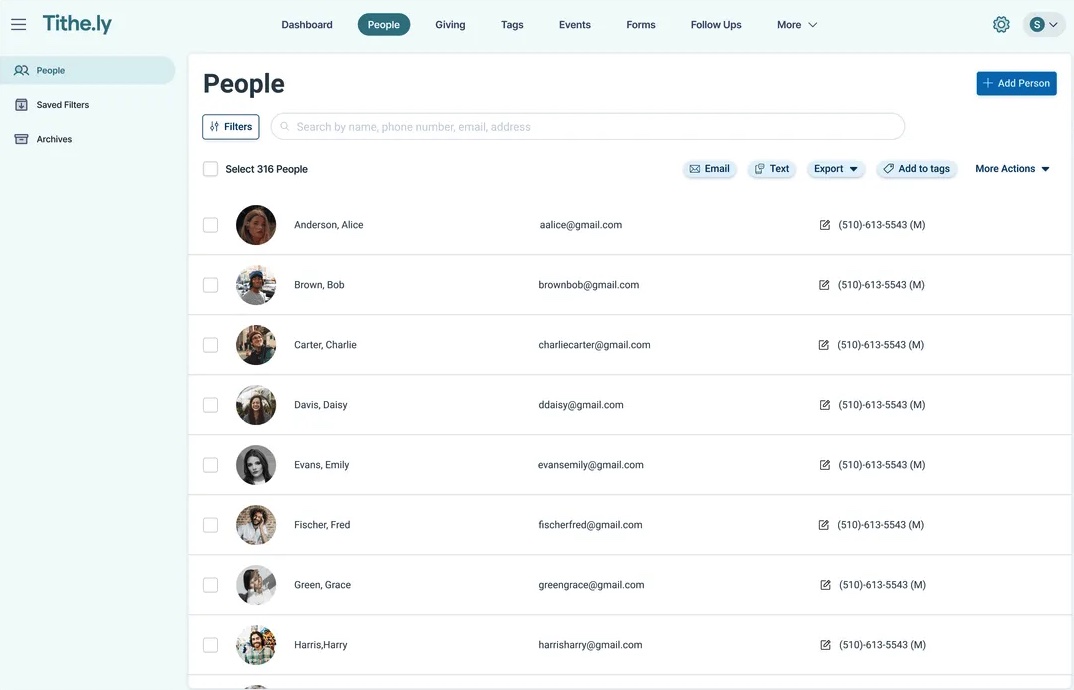
Breeze is what most small-church administrators actually want: a flat $72/month bill, a database that doesn't fight them, and check-in that works on Sunday morning. It's not the most powerful ChMS — Planning Center will out-feature it on every comparison sheet — but it's the one we'd recommend to a 200-person church without hesitation. The post-acquisition slowdown is the asterisk. Tithe.ly clearly bought Breeze for the customer base, and the product hasn't made a major leap in two years. If you sign up now, you're betting it stays this good rather than gets meaningfully better.
2. Givelify
Donor-app-first giving platform that prioritizes ease of one-time mobile gifts over deep ChMS reporting.
- The donor app has unusually high install volume across Black church and historically Black denomination contexts.
- Donor experience is genuinely two taps to give; setup friction for new givers is among the lowest in the category.
- No monthly fee means even tiny churches can adopt it without a budget conversation.
- Onboarding for the church side is fast — most accounts go live the same day.
- Strong brand presence in specific denominational communities (AME, Pentecostal, Baptist) creates donor familiarity.
- Transaction fees are flat at 2.9% + $0.30 with no break for ACH or high volume — expensive at scale.
- It's a giving app only, not a ChMS; you'll need a separate tool for membership and check-in.
- Reporting is shallow compared to Pushpay or Planning Center Giving.
- Limited donor segmentation, lapsed-giver alerts, or pledge tracking.
- Branded-app experience is Givelify's app, not your church's; some staff feel that dilutes their brand.
AME churches whose members already use Givelify and want zero-friction giving with no monthly fee.
You need integrated cohort reporting across giving and attendance in one polished interface.
Givelify is one of the few church tools whose primary moat is consumer-side network effects. In specific denominational communities — particularly Black churches — the app is already on members' phones, and that genuinely matters. The giving experience is excellent for one-time gifts. Where it falls short is anything beyond giving: there's no ChMS, reporting is thin, and the 2.9% fee at higher volumes adds up versus Stripe-direct competitors. Use it as a giving rail, not a platform.
3. Tithe.ly
Aggressively priced giving platform with a growing ChMS, app, and website stack underneath it.
- Free giving plan with no monthly fee genuinely removes the financial barrier for churches launching online giving.
- All-Access bundle is the cheapest path to website + app + giving + ChMS in a single bill.
- Sites builder produces clean, mobile-first church websites without needing a developer.
- Active acquisition strategy (Breeze, Elvanto) means the platform footprint keeps expanding.
- Migrating donors from another platform is smooth — Tithe.ly will actively help move recurring gifts.
- Multiple acquired products under one brand creates a confusing UX; ChMS, Sites, and Giving all feel like different apps.
- Customer support has slipped in 2024-2025 reviews; ticket times stretched to days during peak season.
- Reporting is functional but can't match Pushpay or Planning Center for cohort analysis.
- Volunteer scheduling exists but most churches still use Planning Center Services alongside it.
- Roadmap priorities are unclear — it's hard to tell which acquired product is actually getting investment.
Churches that want online giving live tomorrow with no monthly platform fee, or want a website plus app bundle.
Your members already use Givelify and would not switch — the network effect matters.
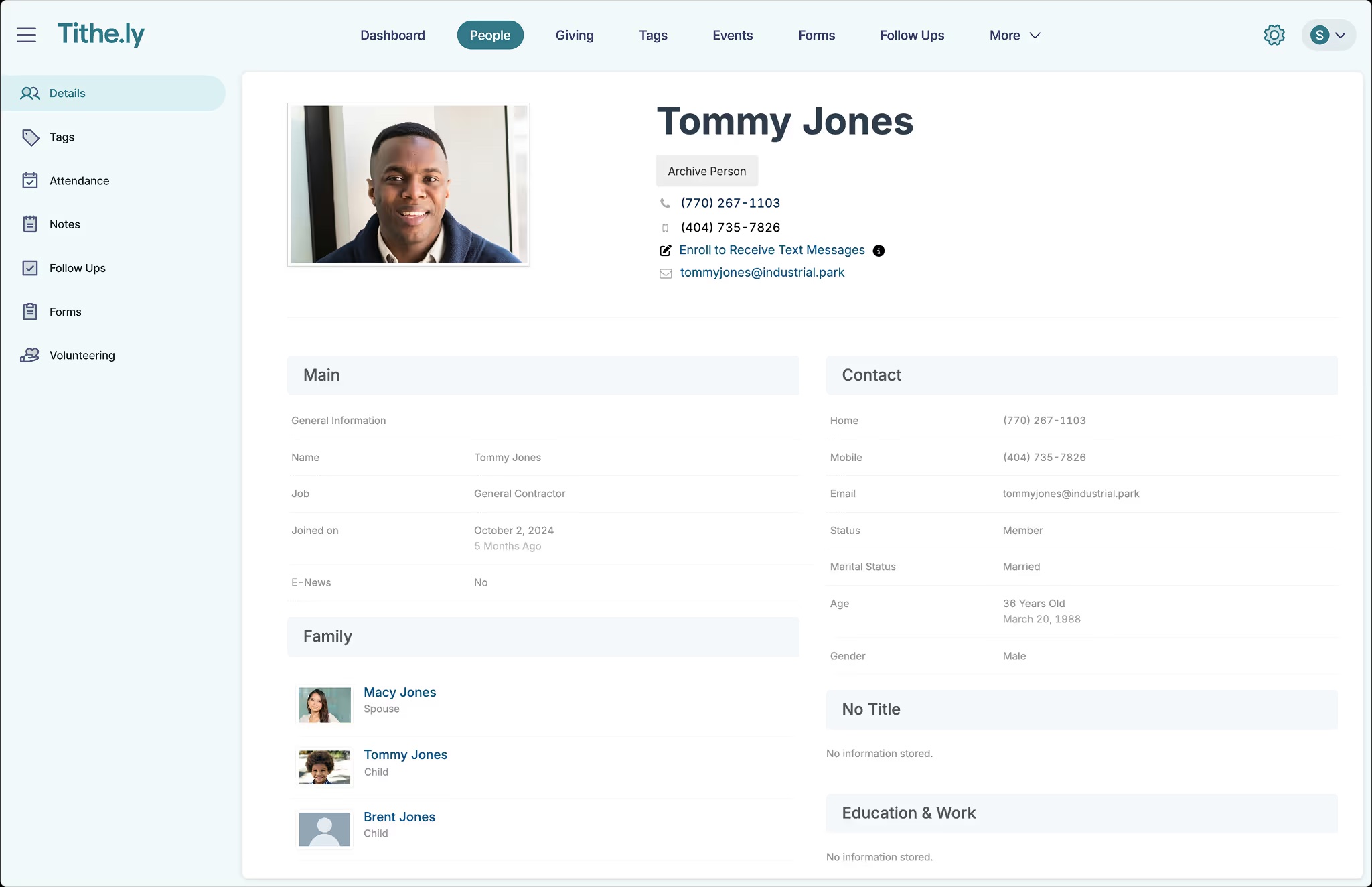
Tithe.ly's bet on free giving was the right one, and it's how they got footholds in tens of thousands of churches. The harder bet is whether they can stitch Breeze, Elvanto, Sites, and the original Giving app into something that feels like one product. Right now it doesn't — it feels like a holding company. For a 150-person church just trying to take their first online gift, that doesn't matter and you should sign up today. For a 600-person church evaluating an all-in-one, the seams are visible enough that we'd seriously look at Planning Center plus a separate website tool instead.
4. ChurchTrac
Quietly capable, low-cost ChMS with built-in accounting that punches well above its price.
- Pricing is unbeatable for what you get — full ChMS plus fund accounting for under $25/month at most church sizes.
- Genuine built-in fund accounting at the small-church price point is essentially unique to ChurchTrac.
- Free plan is real and not a 14-day trial; small congregations can run it indefinitely.
- Owner-operator company with real responsiveness on email support, not a tiered ticket queue.
- Data is exportable and ownership is clear — no lock-in beyond your monthly subscription.
- UI is utilitarian; it works, but it doesn't have the polish of Breeze or Planning Center.
- Mobile experience is web-based primarily; the dedicated mobile app is functional but limited.
- Volunteer scheduling is basic and won't satisfy a church with a serious worship rotation.
- Brand recognition is low, so peer learning and tutorials are thinner than for category leaders.
- Integration ecosystem is shallow; if you live in Zapier, you'll feel constrained.
AME churches who need fund accounting on a tight budget without paying enterprise prices.
Your staff cares about UI polish or you need a strong worship-scheduling tool.
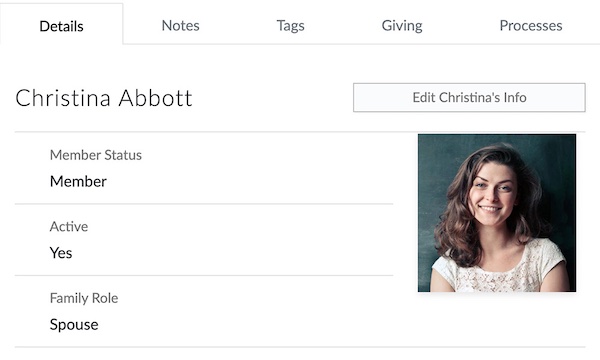
ChurchTrac is a sleeper. It doesn't have the marketing budget of Tithe.ly or the polish of Planning Center, but for small churches that genuinely need fund accounting alongside the database, nothing else at this price point exists. We've seen it run perfectly well at 400-person churches with a part-time bookkeeper. The honest caveat is that it looks and feels like the work of a small team — because it is — and if your staff is younger or comes from polished SaaS tools, the UI will feel dated. Trade design for capability and money saved, and you'll come out ahead.
5. Planning Center
The modular industry standard for service planning, volunteer scheduling, and people management.
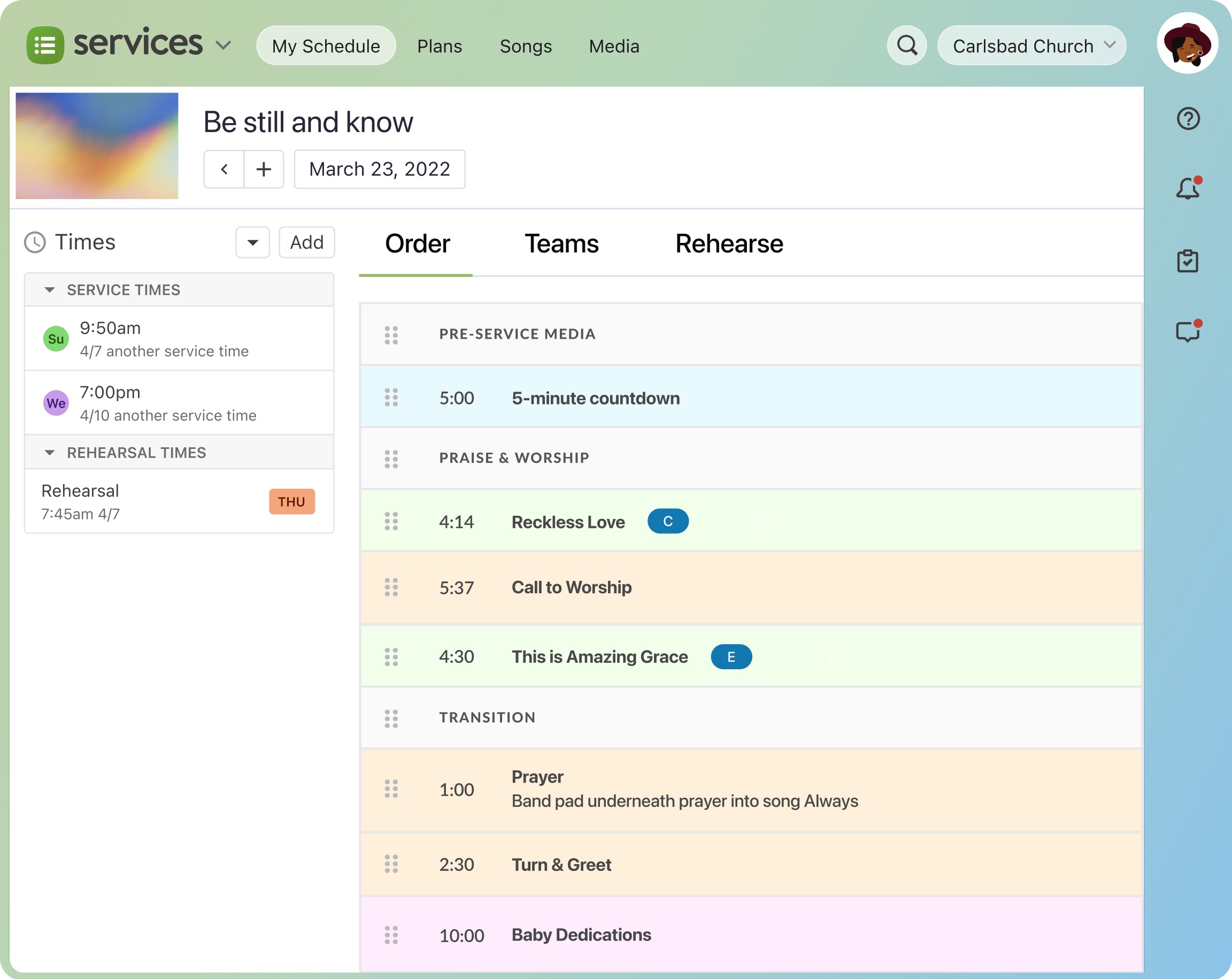
- Modular pricing means you only pay for the products you actually use, instead of bundling features you'll never touch.
- Services module is genuinely the gold standard for worship planning, with chord charts, rehearsal recordings, and conflict-aware scheduling.
- Church Center mobile app gives members one polished entry point for giving, groups, events, and check-in.
- Strong API and webhook coverage make it the easiest ChMS to integrate with custom tooling or third-party reporting.
- Onboarding is self-serve and well-documented; most churches go live without a paid implementation contract.
- Costs add up fast once you adopt 4-5 modules; a 500-person church can easily spend $250+/month before processing fees.
- No native general-ledger accounting, so finance teams still need QuickBooks or another system alongside it.
- Reporting across modules is inconsistent; some products have rich filters, others feel like an afterthought.
- The product suite still feels like separate apps stitched together, which means navigating between Services, People, and Giving has friction.
- No website builder, so churches needing a CMS have to pair it with Squarespace, Subsplash, or similar.
Larger AME churches with active worship rotations and choirs across multiple weekend services.
You need integrated fund accounting or are a small congregation that does not need worship-grade scheduling.
Planning Center has earned its reputation. Services in particular is the kind of product that ruins you for competitors — once a worship pastor has scheduled bands, sent rehearsal mp3s, and tracked declines from a phone, going back to spreadsheets feels archaic. The trade-off is that PCO has stayed deliberately narrow: no accounting, no website builder, no live streaming. That focus is the reason each module is so good, but it also means you'll be writing checks to two or three other vendors. For churches over ~150 people with a real worship rotation, this is the safe pick. Smaller churches should look at Breeze first.
6. Realm by ACS Technologies
Mature, accounting-grade ChMS from a legacy vendor, strongest for churches that need real general ledger.
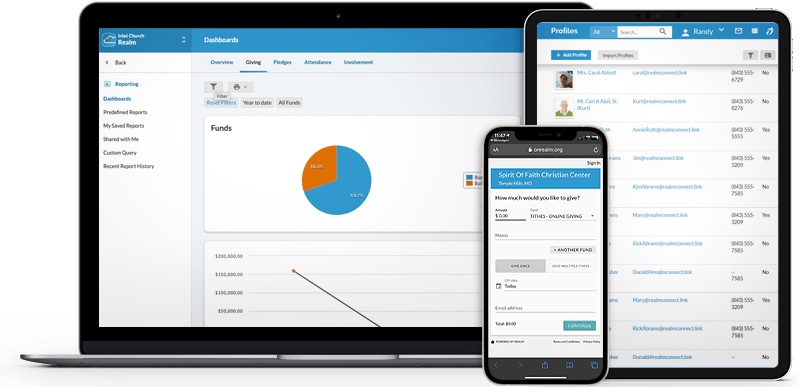
- Built-in fund accounting is genuinely real general-ledger software, not a giving report — rare in the ChMS world.
- Pathways feature lets you build discipleship tracks and actually track members through them.
- Multi-site permissions and cross-campus reporting are mature and battle-tested.
- Background-check integration with Protect My Ministry is built-in for child-volunteer workflows.
- ACS has been doing this for 40+ years; the company won't disappear and your data won't get orphaned.
- UI feels dated compared to Planning Center or Breeze — it's functional, not delightful.
- Implementation usually requires paid onboarding and can take weeks for accounting setup.
- Pricing is quote-based with multi-year contracts; not friendly to month-to-month evaluation.
- Mobile app is competent but lags behind Subsplash or Pushpay for member experience.
- Customizing reports beyond the built-in templates can require ACS support, which adds friction.
Larger AME churches with serious finance and conference reporting needs that benefit from one durable vendor.
You want a modern interface or transparent month-to-month pricing.
Realm is a serious tool that doesn't get talked about enough in the trendier corners of church tech. If your finance team is your most influential stakeholder — and at most denominational churches over 500 people, they are — Realm's accounting module is a legitimate reason to choose it over Planning Center plus QuickBooks. The cost is that you pay in user experience: the interface, mobile app, and onboarding all feel like they were designed in 2018 and not updated since. We'd consider it a strong, slightly conservative choice for established churches that value durability over polish.
7. Subsplash
Custom church mobile apps and media platform that has grown into a full giving and ChMS suite.
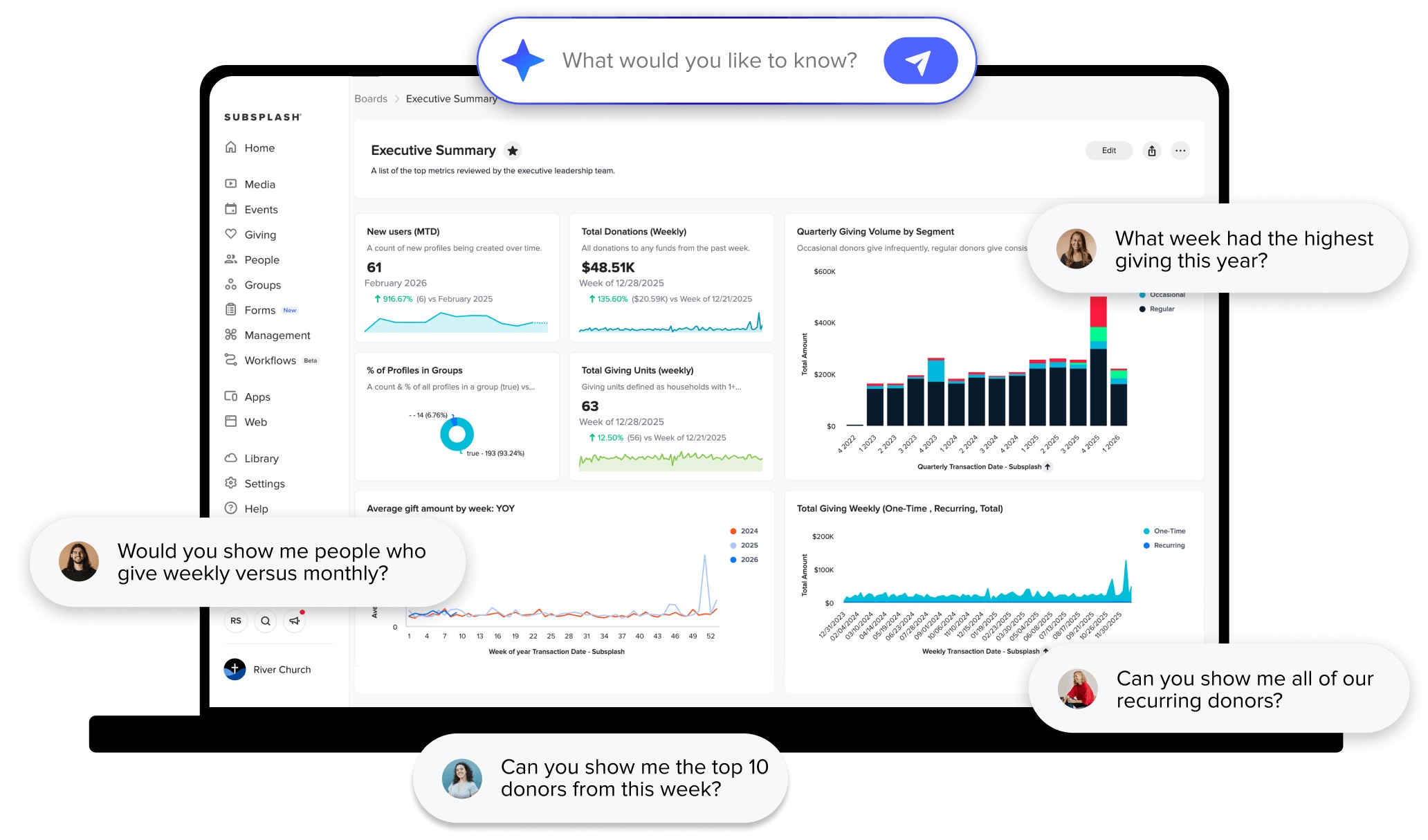
- App quality is genuinely high — fast launch times, polished sermon player, native feel on iOS and Android.
- Bundled live streaming and media hosting saves churches from paying separately for Resi or Vimeo OTT.
- Custom-branded app distribution under your church's name on the app stores is included, not an upcharge.
- Subsplash One bundle is one of the few real all-in-ones if you want app, web, giving, and CRM from one vendor.
- Customer success is responsive and includes app store submission/maintenance, which removes a real burden.
- Pricing is sales-gated and aggressive; sticker shock is the most common complaint in third-party reviews.
- Multi-year contracts are standard and difficult to exit early.
- ChMS module is the weakest part of the suite and feels bolted on compared to Planning Center or Breeze.
- Volunteer scheduling is essentially absent — churches keep Planning Center Services alongside.
- Renewal pricing tends to climb meaningfully year over year unless you actively renegotiate.
AME churches with strong live-stream audiences and a real branded-app strategy reaching distant members.
Your priority is the database and you would rather pair Givelify or Tithe.ly with a simpler ChMS.
Subsplash is what you buy when you want your church to feel like a media company. The app is excellent and it's the reason most customers stay. The rest of the suite ranges from competent to noticeably weaker than category leaders, and the pricing model is firmly enterprise — expect a sales call, expect a contract, and expect renewal bumps. We'd recommend it without reservation to churches whose digital strategy is media-heavy. For churches whose primary problem is 'we need a database that works,' there are better and cheaper answers.
Verdict
For most AME and historically Black Methodist churches under 400 attendance, Breeze plus Givelify is the strongest combination we have found¹². Breeze handles the membership database, attendance, and class-leader structure cleanly at $72 a month flat. Givelify covers the giving side with no monthly fee, with the unusual advantage that many of your members already have the app installed.
For larger AME churches with serious finance complexity and conference reporting requirements, Realm or ChurchTrac with its real fund accounting are the better answer⁴⁵. Realm's stability is the right call for a 1,000-attendance church; ChurchTrac is the right call when budget pressure is real and the staff is willing to live with a less polished interface.
Where we would push back: Pushpay and Subsplash have aggressive pitches aimed at Black megachurches, and the donor experience is genuinely strong, but the contracts are not friendly to congregations whose budget cycles tighten in lean years. Make the math work both ways.
Sources
- Breeze ChMS pricing page, accessed 2026-05
- Givelify pricing and donor-app overview, accessed 2026-05
- Tithe.ly pricing and giving plan, accessed 2026-05
- ChurchTrac pricing and feature pages, accessed 2026-05
- Realm by ACS Technologies product pages, accessed 2026-05
- Wisefig internal testing notes (hands-on with AME parish administrators)